Feeling lost in the maze of DIY digital templates? You’re not alone! It can be daunting to navigate this creative space, especially for newcomers. With a variety of digital templates available – including those from Templett, Corjl, and Canva – each platform has its own nuances. But once you’ve gone through the process, you’ll likely find it straightforward and effortless. This guide aims to simplify the procedure and help you avoid any unexpected hitches.
One common point of confusion is that the file you receive from Etsy is not the actual Canva template. Instead, you’ll get a PDF with links to access your template. In my shop, we start the name of this file with “Instructions” to make it simple for customers to recognize.
Here’s a detailed breakdown of how to obtain and start customizing your Canva template from Etsy:
1. Complete Your Purchase: Once you’ve bought your digital template on Etsy, you’ll receive a digital download file(s) in your Etsy account. This file includes the links needed to edit your template in Canva. You may also get an email notification from Etsy with a direct download link.
2. Set Up a Canva Account: If you haven’t already, visit Canva.com to create a free account.
3. Access Your Download: Log in to Etsy.com using a web browser (the Etsy app doesn’t support downloading files) and navigate to ‘Your Account.’
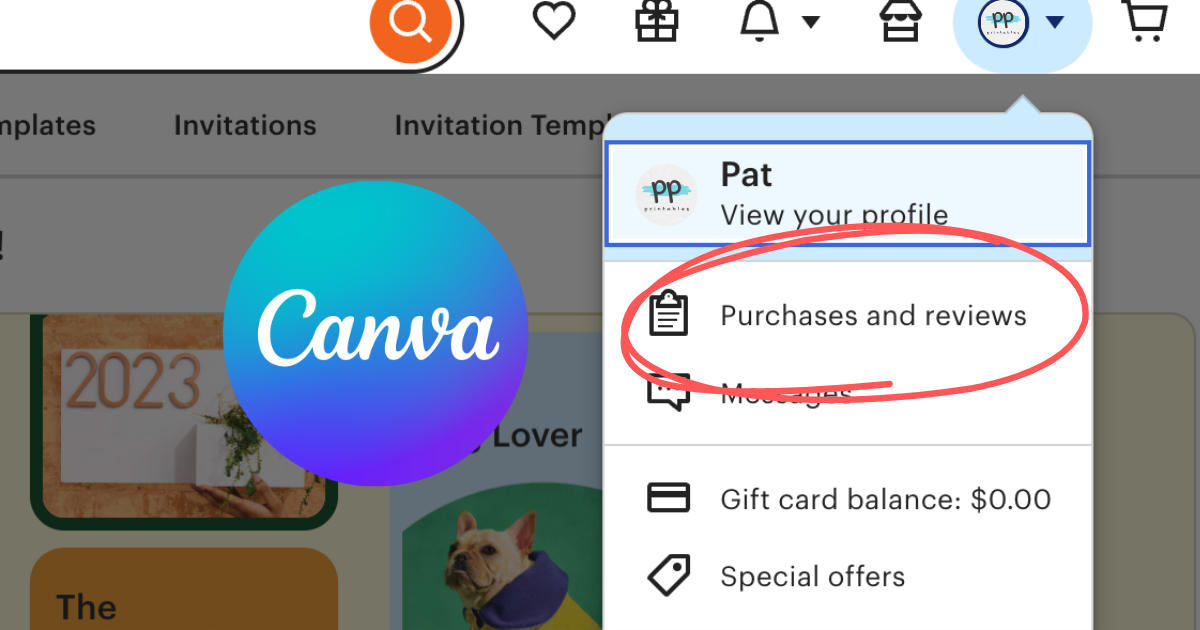
4. Find Your Files: Click on your profile picture, then select ‘Purchases and Reviews.’ Locate your order and click the ‘Download Files’ button.
5. Open the Instruction File: The downloaded PDF, named with “Instructions” for ease, contains the necessary steps. For instance, a block party flyer might be titled “instructions-block-party-flyer.pdf.”
6. Read and Click: Open the Instructions PDF on your device. Read through it and click on the desired template size to start editing in Canva.
7. Use the Template: A preview of the template will open in a new browser window. Click the ‘Use Template For New Design’ button below the image. This action will open a copy of the template in Canva, ready for you to edit, provided you’ve already set up your free Canva account.
In conclusion, purchasing a Canva template from Etsy might seem a bit perplexing at first. However, by following the steps outlined here, you can enjoy a quick and seamless customization experience.